
Are you struggling to understand the stripe payout structure while your business expenses keep piling up and your hard-earned revenue feels completely out of reach right now? Mastering these specific timing rules is the only way to stop guessing when your cash will arrive and finally stabilize your daily cash flow for good. We will reveal how to bypass delays, choose the perfect frequency, and use Finotor to automate your entire bookkeeping process so you can focus on scaling your brand instead of fighting with manual spreadsheets every single day. 🚀
- ⏳ Getting started with the Stripe payout structure
- 📅 Picking a payout schedule that fits your business
- 🛠️ Solving common payout delays and balance issues
- 📊 Mastering reconciliation and taxes with Finotor
⏳ Getting started with the Stripe payout structure
After setting up your account, the first hurdle isn’t making a sale, but understanding when that cash actually hits your bank. 💸
The 7-14 day waiting period for your first transfer
Stripe verifies every new merchant to stay safe. They hold initial funds to lower risk levels. The countdown begins only once you successfully process your very first customer charge.
Security drives this specific delay. It lets Stripe watch for any shady or fraudulent activity right at the start.
Check the official Stripe payout documentation. This wait is standard industry practice.
Your first payout takes 7-14 days. This clock only starts ticking after your first successful sale, not when you open the account.
Linking bank accounts and debit cards correctly
Traditional banks or virtual accounts like Wise work fine. Your currency must match your settlement settings exactly. Wrong digits trigger failed transfers and annoying bank bounces. Always double-check every single digit before saving in your dashboard.
Using a debit card can offer faster access for eligible users. It simplifies the connection process significantly.
Pro tip: Smart entrepreneurs use Finotor to automate their accounting and reconcile these payouts without the manual headache. 🚀
Security steps for changing sensitive payout info
Updating bank details triggers a security protocol. Payouts might be paused temporarily to prevent unauthorized diversions. This protects your hard-earned revenue from hackers.
Lost access to old accounts? Ping support immediately for recovery steps.
Security protocols for updating sensitive banking information are non-negotiable for protecting your business cash flow.
📅 Picking a payout schedule that fits your business
Once your identity is verified, you get to decide the rhythm of your bank deposits.
Daily, weekly, or monthly automatic transfers
Most businesses prefer the “set it and forget it” approach. You can pick specific days for deposits. This helps align Stripe with your internal accounting cycles for easier tracking too.
Remember that weekends and holidays will shift your arrival dates. Banks don’t process transfers on non-business days.
- Daily: every business day
- Weekly: specific day like Monday
- Monthly: specific date of the month
Transfers process in UTC (except APAC). Weekends or holidays shift arrival to the next business day.
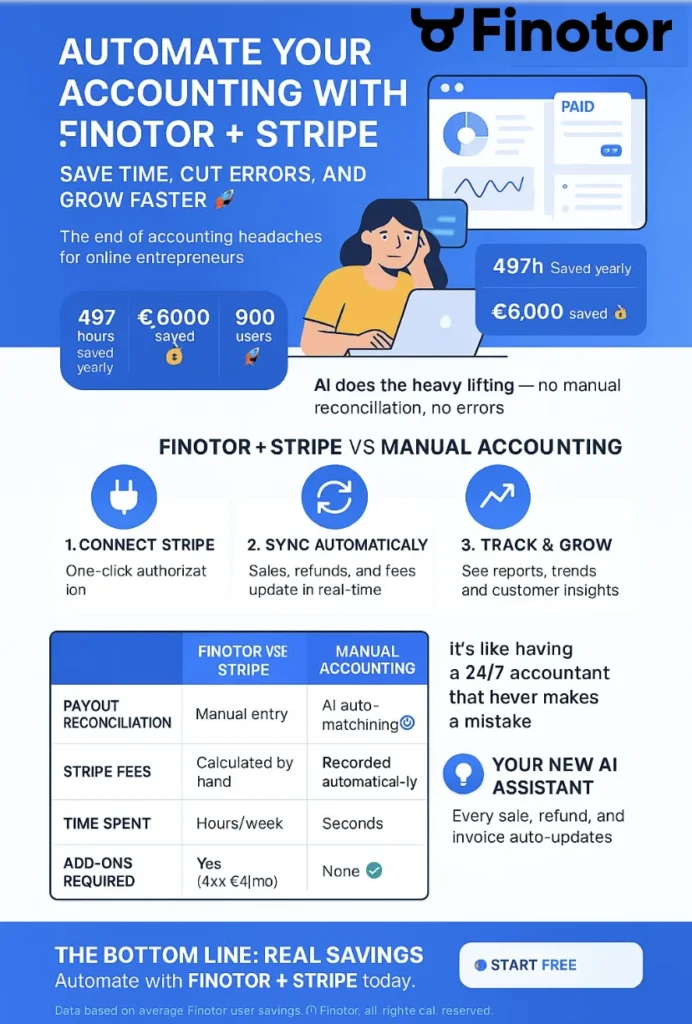
Integrate stripe with finotor for automated accounting
Taking control with manual payout triggers
Manual payouts let you accumulate funds in your Stripe balance. This is great for managing large upcoming expenses. You décide exactement quand cliquer “Payer maintenant” for your cash.
Note that manual options are restricted in some geographic regions. Check your settings to see if you qualify for automating stripe payouts. Using Finotor simplifies this accounting process.
Speeding things up with instant or stablecoin payouts
Instant payouts land in your account within 30 minutes. This is a lifesaver for urgent cash flow needs. It usually requires a linked, eligible debit card to work correctly now. 🚀
Stablecoin options are emerging for tech-forward companies. They allow for 24/7 settlement without traditional banking hours or typical delays here. 💸
Be aware of the extra fees. These accelerated methods aren’t free of charge for users.
Instant payouts land within 30 minutes but require an eligible linked debit card and incur extra fees.
🛠️ Solving common payout delays and balance issues
Even with the best settings, sometimes the money seems to vanish into thin air between platforms. 💸 It’s a common headache for many of us.
Why your Paid status doesn’t match your bank balance
Seeing “Paid” in Stripe just means the transfer started. It doesn’t mean your bank has cleared it yet. Transit times fluctuate wildly between different financial institutions.
Wait at least five business days before panicking. Most delays are just standard banking lag, not a lost payment.
- Check bank details
- Verify business days vs calendar days
- Contact bank support
Managing negative balances from refunds and disputes
Refunds and disputes can pull your balance into the negatives. Stripe will often claw back these funds from your bank. This keeps your account in good standing.
Keeping a reserve balance is a smart move. It covers unexpected reversals without disrupting your main bank account. Many entrepreneurs use Finotor to track these cash flows automatically.
High dispute rates can lead to payout pauses or even account closures if not managed proactively.
How location and industry affect your timing
US merchants often enjoy a T+2 settlement speed. Yet, international accounts usually face a T+7 standard. Your specific industry risk level also plays a role.
High-risk sectors often see even longer delays. Stripe uses these buffers to protect against potential mass refunds or sudden business collapses.
| Region | Standard Timing | High Risk Timing |
|---|---|---|
| US | T+2 | T+14 |
| UK/EU | T+7 | T+14 |
| Australia | T+3 | T+14 |
| Rest of World | T+14 | T+14 |
📊 Mastering reconciliation and taxes with Finotor
Tracking these movements manually is a nightmare, but there is a way to automate the headache away.
Using Finotor to automate your Stripe bookkeeping
Connecting Stripe to Finotor automates your entire sales recording process. It syncs payouts directly with your bank statements. No more manual data entry or spreadsheet errors. 🚀
You get real-time visibility into your net revenue. This makes cash flow forecasting much more accurate for your business growth.
Use these tools to simplify stripe reconciliation and the AI agent dedicated to accounting and finance. 💸
Handling multi-currency payouts and conversion fees
Stripe manages transfers in various currencies, but conversion fees can eat your margins. Setting up secondary bank accounts for each major currency avoids these costs. It allows you to settle funds locally without expensive exchange rates. 🏦
Check your dashboard to see which currencies are supported for your specific region. It’s a simple way to save money.
To avoid conversion fees, set up secondary bank accounts for each major currency you settle in to match your settlement settings.
Preparing for tax season with 1099-K and exports
Tax season is easier when you have the right exports. Stripe provides 1099-K forms based on your payout volume. Reconciling gross volume against net payouts is vital. 📑
Finotor reports simplify these end-of-year accounting tasks. They categorize fees and sales automatically for your CPA or tax advisor.
See Stripe’s official guide on tax reporting. Accurate data prevents audits.
Understanding timing and how your Stripe payouts are structured is the secret to stress-free cash flow. 🚀 Align your schedule with business needs today and sync everything with Finotor (https://finotor.com) to automate the boring bookkeeping. Stop losing time now and embrace a perfectly organized financial future! 💸
FAQ
⏳ Why is my first Stripe payout taking so long to arrive?
Don’t worry, this is totally normal for new entrepreneurs! Your first payout usually takes 7 to 14 days to hit your bank account. Stripe uses this time to verify your identity and mitigate risks before the cash starts flowing regularly. 🛡️
Think of it as a security handshake. Once this initial period is over, you’ll move to a standard schedule like T+2 (2 days) in the US or T+3 in the UK. If you want to keep track of these timings without the stress, tools like Finotor can sync your Stripe data automatically so you always know where your money is.
🏦 Does my bank account currency need to match my Stripe settlement settings?
Yes, absolutely! To avoid annoying conversion fees that eat into your margins, your bank account currency should match your settlement currency. If you charge in USD but your bank is in EUR, Stripe will convert it automatically, but it will cost you. 💸
Many savvy business owners use virtual accounts like Wise or Revolut to hold multiple currencies. By adding a bank account for each major currency you sell in, you can settle funds locally and save a fortune on exchange rates. 🌍
🌍 Can I switch between manual and automatic payouts in any country?
In most places, yes! You can choose between daily, weekly, or monthly automatic transfers, or trigger them manually. However, some countries have strict rules. For example, in Brazil and India, payouts are mandatory, automatic, and daily. 📅
In Japan, daily payouts aren’t an option; you’re usually on a manual or weekly rhythm. Choosing the right schedule helps you align your Stripe income.
⚡ How can I get my Stripe funds instantly and what does it cost?
If you’re in a cash flow crunch, Instant Payouts are a lifesaver! They typically land in your account within 30 minutes, 24/7. You just need an eligible debit card linked to your account to get started. 🚀
Speed isn’t free, though. Stripe charges a fee—usually 1% in the EU/UK and 1.5% in the US. It’s a great tool for emergencies, but for daily management, most businesses prefer the standard free transfers and use Finotor to forecast their cash flow instead.
🔐 Is it safe to change my bank account info on Stripe?
It is safe, but Stripe takes it very seriously. Updating sensitive banking details triggers strict security protocols. Payouts might be temporarily paused to ensure a hacker isn’t trying to divert your hard-earned revenue to a different account. 🔒
Always double-check every digit! If you enter the wrong info, the bank might bounce the transfer, leading to long delays. If you’ve lost access to an old account, contact Stripe support immediately to go through their recovery verification steps.
📊 What’s the best way to reconcile Stripe payouts with my bookkeeping?
Doing this manually is a recipe for a headache, especially with fees and refunds in the mix. The most efficient way is to use Finotor to automate the entire process. It connects directly to Stripe and syncs every payout with your bank statements. 📈
By using Finotor, you eliminate manual data entry and get real-time visibility into your net revenue. It even categorizes Stripe fees and taxes automatically, making life much easier for you and your accountant when tax season rolls around! 🎨
🛠️ Why does my Stripe dashboard say “Paid” but the money isn’t in my bank?
The Paid status simply means Stripe has successfully initiated the transfer. It doesn’t mean your bank has cleared it yet. Most banks take 1 to 5 business days to process the incoming funds and show them in your balance. 🏦
Remember that weekends and holidays don’t count as business days! If you still don’t see the funds after five business days, double-check your bank details in the dashboard. For a clear view of all your historical transactions and customer data, Finotor provides a detailed breakdown for every single payout.
TO KNOW MORE ABOUT STRIPE AND FINOTOR…
1. Reconcile Stripe payouts automatically
Stop manual reconciliation. Automate Stripe payouts with Finotor. How to automate Stripe payouts reconcile today:
→ Reconcile Stripe payouts automatically
2. Stripe Payouts Structure
Learn how Stripe calculates your payout and how Finotor tracks it: Pro guide to get paid:
→ Stripe payout structure
3. Stripe Accounting Guide
Everything you need to manage accounting with Stripe—automated. Automate & Reconcile to master your payouts:
→ Stripe Accounting Guide
4. Best Accounting Software for Stripe
Compare solutions for Stripe users and discover full automation. The bottom line: manual reconciliation of Stripe payouts creates a financial mess. Real success comes from automating the complex matching of batched deposits to specific sales and fees:
→ Best Accounting Software for Stripe
5. Accounting for SaaS using Stripe
Automate MRR, churn, invoices and payout accounting. Is the complexity of stripe accounting saas and deferred revenue turning your monthly close into a total nightmare? We explain how to tame this beast and align your financial reporting with the reality of your business:
→ Accounting for SaaS using Stripe
6. Stripe Reconciliation Automated
Stop reconciling Stripe manually and automate it with Finotor. Does the nightmare of manual stripe reconciliation leave you feeling overwhelmed by mismatched numbers and hidden fees every single month? Full Automated Guide:
→ Stripe reconciliation automated
7. Stripe Reconciliation Template
Download a Stripe reconciliation template or automate it entirely. The bottom line: Stripe provides raw data exports, not a ready-made reconciliation template. Free Download:
→ Stripe reconciliation template
8. Stripe Reconciliation Template
Automate accounting for coaches using Stripe. Are you sick of wasting hours manually reconciling payments instead of coaching your clients, even though you use stripe for coaches? :
→ Stripe for coaches
9. Best Reconciliation tools for Stripe
Best tools for Stripe reconciliation. Managing Stripe reconciliation doesn’t have to be a complex chore reserved for accountants. The digital age brings a host of innovative solutions letting founders and finance pros automate, analyze, and streamline every step involved in reconciling their eCommerce transactions:
→ Best reconciliation tools