
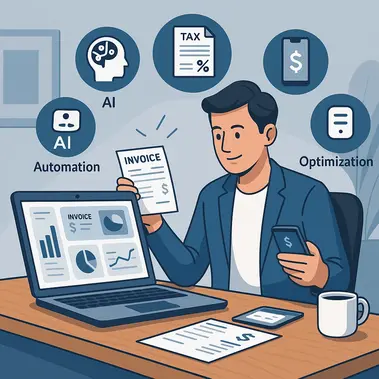
Running a solo business means wearing multiple hats—from serving clients to managing finances. Traditional spreadsheets and manual bookkeeping methods quickly become overwhelming as your enterprise grows, leading to missed deductions, compliance issues, and countless hours spent on administrative tasks instead of revenue-generating activities. And that’s why Solopreneur accounting software is a must-have for developing and securing your business.
What solopreneurs need from their accounting software
Solo entrepreneurs require more than basic bookkeeping tools. You need a comprehensive solution that handles invoicing, expense tracking, tax preparation, and financial reporting while being simple enough to manage without an accounting degree. The right platform should grow with your business, providing professional-grade features without the complexity of enterprise-level systems.
Key requirements include:
- Automated transaction categorization
- Real-time financial insights
- Tax optimization features
- Professional invoicing capabilities
- Mobile accessibility for on-the-go management
Essential features for one-person businesses
Intelligent expense tracking
Modern accounting platforms use AI-powered categorization to automatically sort your expenses, eliminating manual data entry. This ensures accurate record-keeping while maximizing your tax deductions throughout the year.
Professional invoicing & payment processing
Create branded invoices, set up recurring billing, and accept multiple payment methods. Advanced systems integrate directly with payment processors to automatically record transactions in your books.
Banking integration
Direct bank connections provide real-time financial data, automatically importing transactions and reconciling accounts. This eliminates the error-prone process of manual data entry while ensuring your books stay current.
Financial reporting & analytics
Access profit and loss statements, cash flow reports, and tax-ready summaries with a few clicks. Visual dashboards help you understand your business performance and make informed decisions.
Advanced capabilities for growing solopreneurs
AI-powered automation
Artificial intelligence streamlines repetitive tasks like expense categorization, invoice follow-ups, and financial reporting. This technology learns your business patterns, becoming more accurate over time while saving hours of manual work.
| Feature | Benefit | Time Saved |
|---|---|---|
| Automated categorization | Eliminates manual sorting | 3–5 hours/week |
| Invoice tracking | Reduces follow-up effort | 2–3 hours/week |
| Bank reconciliation | Streamlines monthly closing | 4–6 hours/month |
Tax optimization tools
Year-round tax tracking helps identify deductions, estimate quarterly payments, and generate tax-ready reports. This proactive approach prevents last-minute scrambling during tax season.
Client management integration
Track project profitability, manage client communications, and monitor outstanding invoices from a single dashboard. This holistic view helps optimize your client relationships and cash flow.
Mobile accessibility
Capture receipts, create invoices, and monitor cash flow from anywhere. Mobile apps ensure you can manage your finances whether you’re at a client site or traveling.
Choosing between free and premium solutions
While basic accounting tools may seem attractive initially, they often lack the advanced features growing solopreneurs need. Free solutions typically have limited functionality, basic reporting, and minimal support options.
Premium platforms offer comprehensive feature sets including unlimited invoicing, advanced reporting, tax optimization tools, and priority support. The time saved and additional deductions identified often justify the investment many times over.
Free vs. premium comparison:
- Basic tools: limited transactions and minimal reporting
- Premium solutions: unlimited functionality and advanced analytics
- Support access: email-only vs. priority assistance
- Integration options: restricted vs. comprehensive connectivity
Industry-specific considerations
Service-based professionals
Consultants, freelancers, and service providers benefit from time tracking integration, project-based reporting, and client portal access for transparent billing.
Creative professionals
Designers, writers, and artists need portfolio integration, copyright management, and specialized expense categories for creative tools and materials.
E-commerce solopreneurs
Online sellers require inventory tracking, multi-channel sales integration, and detailed cost-of-goods-sold reporting for accurate profitability analysis.
Implementation and setup process
Transitioning to professional accounting software doesn’t have to be overwhelming. Modern platforms offer guided setup processes, data import tools, and migration assistance. Most systems integrate with existing bank accounts and payment processors within minutes.
The key is starting with core features like expense tracking and invoicing, then gradually implementing advanced capabilities as you become comfortable with the platform.