
The essentials to remember: Modern Mac accounting in 2026 leverages Apple Silicon and AI to eliminate manual data entry. This synergy allows entrepreneurs to sync banks and invoices instantly, saving up to 10 hours monthly. 🚀 Finotor leads this revolution by automating your entire financial workflow. Start optimizing with an AI agent for you business.
Are you tired of glitchy, Windows-first tools, or is finding the perfect accounting software mac entrepreneurs need in 2026 a major and constant headache for your growing business? This guide reveals powerful, top-rated native solutions designed to streamline your bookkeeping and eliminate messy manual spreadsheets for your growing firm and your busy team once and for all. You will discover game-changing features like AI-powered automation in Finotor and real-time bank feeds that turn your daily financial management into a fast, stress-free and very efficient modern experience every single day 🚀.
- Choosing the Best Accounting Software for Mac in 2026 🖥️
- GetMyInvoices: The King of Automated Document Collection 📥
- SevDesk: Effortless Bookkeeping for the Mobile Entrepreneur 📱
- Lexoffice: High-Speed Invoicing with WatchOS Support ⌚
- Sage 100: Robust Flexibility for Complex Business Needs 🏢
Choosing the Best Accounting Software for Mac in 2026 🖥️
Gone are the days when Mac users had to settle for clunky Windows ports or “lite” versions of financial tools. Today, macOS is the frontrunner, offering sleek, native accounting solutions that make old-school legacy systems look like fossils.
Apple Silicon Optimization and Battery Efficiency
Modern M1 to M4 chips crush heavy accounting databases without breaking a sweat. Local processing on these chips feels instant compared to the sluggish lag we all endured on older Intel Macs.
Native apps are the real secret to staying productive on a MacBook Air. While Chrome tabs eat your battery for breakfast, native code sips power efficiently. This keeps you running all day, even when you’re working on the move.
Spreadsheets look stunning on Retina displays. High-resolution text reduces eye strain, which is a lifesaver during the chaotic tax season.
Check out macOS native accounting capabilities like Dark Mode and Touch Bar support for a truly premium experience.
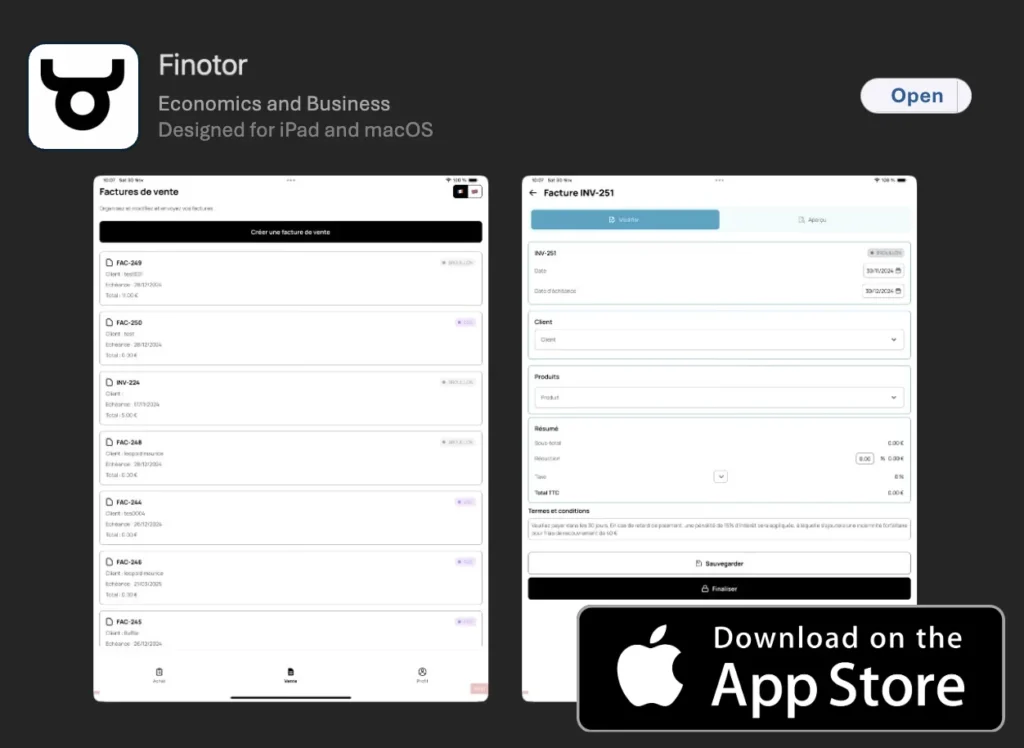
Native Ecosystem Perks Like iCloud and Finotor
iCloud syncing provides a seamless safety net for your firm. Your sensitive financial data stays encrypted and accessible across your iPhone and Mac, ensuring you never lose a single receipt.
Meet Finotor, the top AI-based choice for Mac enthusiasts. It feels like it was built specifically for the Apple ecosystem, putting automation at the very center of your business workflow.
You should definitely try the Finotor All-in-one AI-based Accounting Software to manage your daily finances effortlessly.
Their AI agent for your business handles complex management tasks automatically. It’s like having a digital CFO that never sleeps, helping you stay ahead of every deadline.
GetMyInvoices: The King of Automated Document Collection 📥
While system performance is great, the real headache for Mac users is often the paper trail, which leads us to automation specialists.
Centralized Receipt Management and OCR
Stop wasting time fetching invoices from 10,000 portals manually. You can skip those boring monthly downloads entirely. This smart tool does the heavy lifting for your sleek Mac setup.
We found that AI-driven OCR scanning works wonders for freelancers. It identifies dates and amounts with high precision. This tech cuts out human data entry errors. It feels snappy on a MacBook Pro or the latest iMac you use.
Check out these core features for your daily workflow:
- Automatic portal login
- Email fetching
- Smartphone camera sync
- OCR accuracy levels
Multi-portal Synchronization and Pricing
Pick between the entry tier or Enterprise options. Small setups usually need fewer portal connections. Large companies require the full suite for those massive document volumes and multi-user access.
That 59 euro monthly plan is a total steal. It provides unlimited documents for your growing agency. Fixed costs make budgeting much easier for us in the long run.
Automating document collection can save up to 10 hours of administrative work every single month for busy Mac entrepreneurs.
Try Finotor to manage your business even better. 🚀
SevDesk: Effortless Bookkeeping for the Mobile Entrepreneur 📱
If you spend more time on your iPhone than your desk, you need a solution that bridges the gap between mobile and macOS.
IPhone and iPad App Synergy
Switching between your MacBook and mobile devices feels seamless for accounting software mac users. Start a complex invoice on your Mac at the office. Then, finish it on your iPad while meeting a client.
Forget manual data entry. Just snap a quick photo of a receipt at a cafe. The mobile OCR technology categorizes the expense instantly, keeping your records tidy without any effort. ✨
Check out this iOS mobile app synchronization for managing business on the go. It keeps your financial data perfectly aligned. Your devices stay in sync effortlessly.
Tax Preparation and Direct Bank Feeds
The built-in Elster integration is a lifesaver. It simplifies the scary parts of tax season significantly. You can submit your data directly to the authorities with just one single click.
Real-time bank reconciliation keeps everything updated. Your Mac reflects every transaction as it happens. Little by little, you gain a tight grip on your company’s daily cash flow.
Compare this with the best self-employed accounting software to see which fits. Like Finotor (https://finotor.com), sevDesk prioritizes speed. 🚀 In short, it helps you grow.
Lexoffice: High-Speed Invoicing with WatchOS Support ⌚
For those who value speed above all else, some tools focus on getting the paperwork done before your coffee gets cold. Lexoffice is a top-tier choice for the modern Mac user. 🚀
Rapid Document Creation and Dashboards
You can whip up professional invoices in under two minutes. The interface feels incredibly slick and very Apple-like. It simply strips away all that annoying friction from your daily workflow.
Check the financial dashboard to see your profit and loss instantly. Those handy macOS widgets make monitoring your bank balance effortless. It is bookkeeping that actually fits your Mac lifestyle.
We suggest you automate Stripe for even faster payment processing on these invoices. It works smoothly alongside tools like Finotor (https://finotor.com) to keep your business running properly.
Scalable Tiers for Growing Teams
Check out the S, M, and L pricing tiers. You can start small as a solo freelancer. Then, move up easily once you decide to hire your very first employees.
Grab the 30-day free trial to explore every feature. Test the collaboration tools with your accountant today. It is a risk-free way to see if it fits your specific needs.
| Plan | Monthly Price | Key Feature | Best For |
|---|---|---|---|
| S (Basic) | 6.90€ | Invoicing limits | Solo Freelancers |
| M (Standard) | 11.90€ | Layout design | Small Startups |
| L (Full) | 19.90€ | User counts | Growing Teams |
Sage 100: Robust Flexibility for Complex Business Needs 🏢
When your business scales beyond simple invoicing, you need the heavy-duty power of enterprise-grade software.
Desktop Versus Cloud Implementation
You might crave the snappy speed of local data, especially if your internet is spotty. Yet, most teams today want that 24/7 cloud freedom to check numbers from anywhere.
For those in manufacturing, Sage 100 crushes basic apps. It handles complex production and deep inventory, acting as a full-scale ERP that actually plays nice with your Mac setup.
If you strictly prefer staying offline, check out the Manager desktop edition for Mac as a solid alternative for your local needs.
International Operations and Multi-currency 🌍
Selling across borders? You can’t waste time on manual math. This setup handles various currencies automatically, which is a lifesaver for Mac-based retailers with customers in every time zone.
We love how it connects your CRM and e-commerce shop directly to the books. It pulls data from your sales funnel into the ledger without you lifting a finger. Honestly, it wipes out hours of boring manual sync work.
Check enterprise accounting software for large operations, just as Finotor supports smaller business growth.
Selecting the ideal accounting software mac solutions in 2026 requires prioritizing Apple Silicon speed and AI-driven automation. By adopting tools like Finotor, you’ll sync finances across all devices and eliminate manual errors. Start optimizing your workflow today to guarantee a more profitable and stress-free business future! 🚀
FAQ
Which accounting software is actually the best for Mac users in 2026?
The “best” choice really depends on your business size! 🖥️ For freelancers and small teams, Lexoffice and sevDesk are top-tier because they feel like native Apple apps. If you want to dive into the future, Finotor (https://finotor.com) is the premier AI-based choice that automates almost everything for you.
For larger companies with complex needs, Sage 100 offers robust flexibility, while GetMyInvoices is the absolute king of automated document collection. Each of these tools is designed to make your financial life on macOS smoother and faster. 🚀
Do these accounting programs run smoothly on M1, M2, or M3 Apple Silicon?
Yes, they do! ⚡ Most modern accounting solutions in 2026 are fully optimized for Apple Silicon (M1 through M4 chips). This means you get lightning-fast database processing and incredible battery efficiency. Your MacBook Air will stay cool even when you’re crunching heavy end-of-year numbers.
Native apps and optimized web platforms are much better than old-school software. They “sip” power instead of draining it like heavy browser tabs. Plus, everything looks crisp and beautiful on your Retina display, which definitely helps reduce eye strain during tax season! 👁️
Can I manage my business finances using my iPhone or Apple Watch?
Absolutely! ⌚ Mobile synergy is a huge trend for 2026. Lexoffice even supports WatchOS, so you can check your financial dashboard right on your wrist. sevDesk has a brilliant iOS app that lets you snap a photo of a receipt at a cafe and categorize the expense instantly.
Finotor also offers a powerful mobile app experience, ensuring your “AI financial co-pilot” is always in your pocket. Whether you are at a client meeting or traveling, you can stay updated on your cash flow without needing to open your MacBook. 📱
Is Sage 100 natively compatible with macOS?
Not exactly, but there is a workaround! ☁️ Sage 100 is traditionally a desktop-based solution for Windows. However, Mac users can easily access it through cloud hosting services. This creates a “Cloud Desktop” where you can run Sage 100 as if it were native on your Mac.
While this is great for manufacturing or complex inventory needs, it can be a bit overkill for freelancers. If you prefer something built specifically for the modern cloud experience, tools like Finotor or sevDesk might feel more “at home”. 🏠
How can I stop wasting time manually downloading invoices on my Mac?
Automation is the answer! 📥 GetMyInvoices is a lifesaver here; it automatically fetches documents from over 10,000 online portals. You’ll never have to manually download a utility bill or a phone invoice again. It’s like having a digital assistant that works 24/7.
For even deeper automation, Finotor (https://finotor.com) uses AI to sync your bank accounts and platforms like Shopify or Stripe. It automatically matches your orders with payments and taxes, saving you up to 5 hours of administrative work every single week! 😴
Are there free trials available for Mac accounting software?
Most definitely! 🎁 Most providers want you to feel the “Mac magic” before you commit. Lexoffice offers a 30-day free trial, and Finotor has a STARTER plan that is completely free to help you get your feet wet with AI-driven bookkeeping.
Testing these tools risk-free is the best way to see if the interface matches your workflow. You can try out the invoicing features, connect your bank, and see how much time you actually save before spending a single dime. 💸