
Free vs. Paid Rental Property Accounting Software: Comparison & Best Practices
En bref, 🏠 say goodbye to messy spreadsheets! Rentila (trusted by 50K+ landlords) & Applicéo (100% free forever) automate rent tracking, tax reports & lease management. 💡 Perfect for small-scale investors. Ready to scale? Meet Finotor—your AI-powered co-pilot for stress-free property + freelance income management. 🚀 Try it free and reclaim 10+ hours monthly!
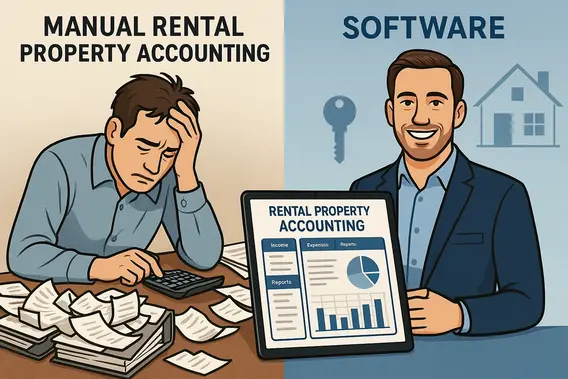
Managing rental property finances through spreadsheets and manual processes creates unnecessary complexity for property owners. Traditional methods often lead to missed expenses, disorganized receipts, and time-consuming tax preparation. Modern accounting software designed specifically for rental properties transforms these challenges into streamlined operations.
What landlords need in accounting software
Property management requires specialized financial tracking that goes beyond basic bookkeeping. Landlords need solutions that handle rental income tracking, coordinate multiple property expenses, and generate reports that simplify tax filing. The right software eliminates manual data entry while providing real-time insights into property performance.
Essential features include:
- Automated expense categorization (Chart of Accounts Mistakes)
- Receipt digitization capabilities
- Multi-property portfolio management
- Banking system integration
- Real-time financial reporting
Integration with banking systems ensures accurate financial records without constant manual updates.
Complete free solutions
Several platforms offer comprehensive accounting tools at no cost for property owners with smaller portfolios. These solutions typically include income and expense tracking, basic reporting, and simple tenant management features. Free platforms work well for landlords managing one to three properties who need essential financial organization without monthly fees.
| Feature | Benefit |
|---|---|
| Unlimited transaction recording | No limits on financial entries |
| Basic tax reports | Simplified annual filing |
| Mobile receipt capture | On-the-go expense documentation |
| Simple dashboard interface | Quick financial overview |
However, advanced features like automated categorization or detailed analytics may require upgrading to paid tiers (Master Your Finances).
Freemium options for growing portfolios
Landlords managing larger portfolios benefit from freemium models that offer robust free tiers with optional premium features. These platforms provide comprehensive accounting functionality while allowing upgrades for advanced reporting, multiple user access, or enhanced automation.
Premium features typically include:
- Automated bank reconciliation (Accounting for Small Businesses Tips)
- Custom report builders (Mastering Financial Statements)
- Integration with property management tools
- Advanced expense categorization
- Multi-user collaboration
The flexibility to start free and upgrade as portfolios grow makes these solutions ideal for expanding rental businesses.
Beyond basic bookkeeping alternatives
Traditional accounting software often lacks rental-specific features that property owners require. Generic business accounting tools don’t understand property-specific tax deductions, rental income cycles, or maintenance expense categorization. Specialized rental accounting software addresses these gaps with purpose-built functionality.
Limitations of traditional methods:
- Time-consuming data entry (6 Excel Bookkeeping Mistakes)
- Prone to human error
- Difficult to scale with growth
- Limited reporting capabilities
- Poor expense organization
Modern platforms offer intuitive interfaces designed for property managers rather than certified accountants. This approach makes financial management accessible to landlords regardless of their accounting background.
Software comparison and selection
Free versus paid software presents trade-offs between functionality and cost. Free solutions excel at basic income and expense tracking but may limit transaction volumes or advanced features. Paid platforms offer comprehensive automation, detailed analytics, and unlimited transaction processing (Introduction to Financial Accounting).
| Feature Type | Free Solutions | Paid Solutions |
|---|---|---|
| Transaction volume | Limited entries | Unlimited processing |
| Automation level | Basic categorization | AI-powered sorting |
| Reporting depth | Standard reports | Custom analytics |
| Integration options | Limited connections | Extensive third-party support |
Property type considerations:
- Long-term rentals need consistent monthly tracking
- Short-term rental properties require dynamic pricing analysis
- Commercial properties demand complex lease management
- Mixed portfolios benefit from flexible categorization systems (Indirect Rental Property Ownership)
Property management integration
The most effective solutions combine accounting with property management features. Integrated platforms eliminate data silos by connecting financial tracking with tenant communications, maintenance requests, and lease management.
This unified approach provides complete property oversight through single dashboards. Landlords can track financial performance while managing operational tasks without switching between multiple applications.
Integration benefits:
- Single source of truth for all property data
- Streamlined workflow management
- Reduced software costs
- Improved data accuracy
- Enhanced reporting capabilities
Tax preparation features
Rental property taxation involves complex deduction tracking and depreciation calculations. Automated tax preparation tools organize expenses into appropriate categories and generate forms required for tax filing (Creating Your Financial Statement).
Advanced platforms maintain audit trails and store digital receipts to support tax deductions. Real-time expense tracking ensures no deductible expenses are forgotten during tax season.
| Tax Feature | Benefit |
|---|---|
| Automated categorization | Proper expense classification |
| Digital receipt storage | Organized deduction documentation |
| Form generation | Simplified tax filing process |
| Audit trail maintenance | Compliance record keeping |
Implementation and best practices
Transitioning from spreadsheets requires systematic data migration and account setup. Automated bank connections eliminate manual transaction entry while maintaining accurate records from day one.
Proper chart of accounts setup ensures expenses are categorized correctly for tax purposes. Customizable categories accommodate unique property types and investment strategies (Crafting Your Financial Statement).
Setup checklist:
- Bank account connection configuration
- Chart of accounts customization
- Historical data migration
- User permission setup
- Automated rule configuration
Advanced automation features
AI-powered automation represents the cutting edge of rental accounting software. Smart categorization learns from user behavior to automatically sort expenses. Predictive analytics identify trends in property performance and highlight optimization opportunities.
Modern platforms like Finotor leverage artificial intelligence to reduce manual accounting tasks while improving accuracy. Automated workflows handle routine processes, allowing landlords to focus on property management and growth strategies.
Automation capabilities (machine learning integration):
- Expense pattern recognition
- Anomaly detection alerts
- Predictive maintenance scheduling
- Cash flow forecasting
- Performance trend analysis
Industry-specific considerations
Different property types require specialized accounting approaches. Commercial properties need different expense categories than residential rentals. Flexible reporting tools accommodate various property types within single portfolios.
State and local regulations affect rental property accounting requirements. Customizable reporting ensures compliance with jurisdiction-specific rules and tax obligations (Understanding Financial Statements).
User experience and support
Intuitive interfaces make complex accounting accessible to non-accountants. Mobile applications enable expense tracking and receipt capture from anywhere. Cloud-based platforms provide device synchronization and data backup automatically.
Quality support resources include knowledge bases, video tutorials, and responsive customer service. Educational resources help landlords understand tax implications and optimization strategies.
| Support Type | Availability | Value |
|---|---|---|
| Knowledge base | 24/7 access | Self-service solutions |
| Video tutorials | On-demand | Visual learning support |
| Live chat | Business hours | Real-time assistance |
| Phone support | Scheduled | Personalized guidance |
Common implementation challenges
Manual processes create bottlenecks that software automation eliminates. Streamlined workflows reduce time spent on administrative tasks while improving accuracy.
Data organization becomes critical as portfolios grow. Centralized platforms maintain all property information in accessible formats, supporting better decision-making and operational efficiency.
Typical obstacles and their resolutions:
- Data migration complexity → Guided import tools
- Learning curve concerns → Comprehensive training resources
- Integration difficulties → Pre-built connector libraries
- Scalability questions → Flexible pricing tiers (Accounting for Shopify)
Security and data protection
Financial data requires robust security measures. Enterprise-grade encryption protects sensitive information while regular backups prevent data loss. Cloud platforms offer better security than local storage for most landlords.
Compliance with financial regulations ensures data handling meets industry standards. Audit trails maintain transaction histories required for tax reporting and financial analysis.
Investment return optimization
Real-time financial dashboards provide insights into property performance and profitability. Detailed reporting identifies underperforming assets and optimization opportunities.
Cash flow analysis helps landlords make informed decisions about property improvements, rent adjustments, and portfolio expansion. Comprehensive reporting supports strategic planning and investment analysis (Smart Investor Guide).
Key performance indicators to track:
- Cash-on-cash return calculations
- Occupancy rate monitoring
- Expense ratio analysis
- Maintenance cost tracking
- Revenue growth patterns
Managing rental property finances doesn’t have to involve complex spreadsheets or time-consuming manual processes. Modern accounting platforms designed for landlords provide intelligent automation and comprehensive financial management tools that scale with growing portfolios.
Finotor offers landlords a complete financial management solution that combines accounting precision with user-friendly automation. Explore how integrated financial tools can transform your property management approach and optimize your investment returns.
FAQ
What features should I look for in free accounting software for landlords?
When choosing free software, focus on income/expense tracking, property management, and tax reporting! 🧾 For example, Finotor lets you automate rent reminders and generate profit/loss statements without manual work. Tools like Rentila offer automated quittance creation, while Applicéo provides Excel exports for your accountant. Bérénice D., a real estate CEO, saves 2 days/month using Applicéo’s automatic document generation – no more late-night spreadsheet battles! 💡
Are there truly free options without hidden costs?
Yes! 🎉 Applicéo is 100% free – no strings attached. Its model relies on optional partnerships with pros (like plumbers) when you need help. Rentila’s free plan has limits (1 property, 2 tenants), but perfect for small landlords. Pro tip: Check limitations! 🚨 If you manage 3+ properties, consider upgrading. But for starters? These tools are gold! 🌟
Can free software actually help with tax time stress?
Absolutely! 📉 Free tools like Rentila generate basic reports for Schedule E, while Finotor automates tax preparation assistance for both rental income AND side hustles. Imagine: Mark, a landlord+freelancer, used to dread tax season until Finotor unified his finances. Now, his accountant gets pre-sorted reports – 10 hours saved/month! 📊 Even basic tools like Excel templates work, but automation? Priceless. 💸
How do these tools save time for busy landlords?
Think of automated rent reminders (no more “where’s my rent? 😤” texts) and instant document access. Guillaume F. used to spend hours on manual quittances – now Applicéo does it in 2 clicks. 🚀 Tools like Rentila sync with banks (paid plans) to categorize expenses, while Finotor’s AI handles data entry. Small wins add up: 1000+ Rentila users save 1 full workday/quarter! 🕒
When should I upgrade to a paid solution?
Upgrade when: 🔄 You manage 5+ properties, 🔄 You’re a landlord AND self-employed (Finotor’s consolidating this data feature is magic here), or 🔄 Admin eats your day. Free tools hit limits – like manual Excel entries vs. Finotor’s AI-powered automation. Annie H. switched after juggling 4 rentals broke her free tool’s 1-property limit. Paid = more peace of mind. But start free, level up wisely! 🔁